
Website Designer. Developer. Software Engineer.
These are not interchangeable words. A WordPress site can be excellent work — but installing a theme and moving boxes around is not the same product as engineering a custom software system.
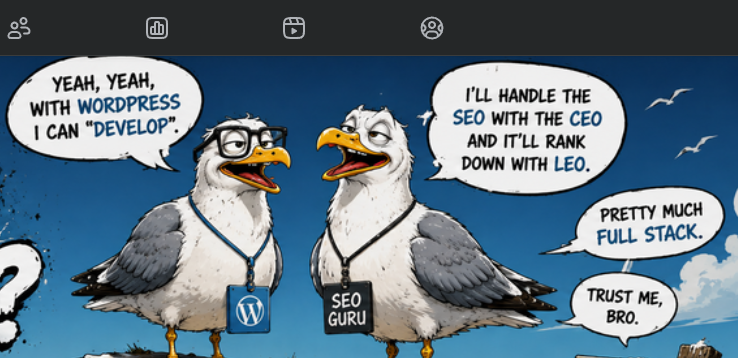
Good WordPress work is real work. It just isn't automatically engineering.
A person can be excellent at branding, conversion design, content, SEO and WordPress configuration without being a software engineer. Likewise, a real WordPress developer can absolutely write serious PHP, JavaScript, custom plugins, APIs and data integrations. The title should describe the work — not inflate it.
Design / Configuration — “Looks”
Layout, typography, branding, content, navigation, page building, theme configuration.
Development — “Code”
Custom functionality, templates, hooks, APIs, JavaScript, PHP, databases and integrations.
Engineering — “System”
Architecture, data models, security boundaries, workflows, testing, deployment, reliability and long-term maintainability.
EAS rule: don't devalue design. Don't devalue development. Don't devalue engineering. Just stop selling one as the other.
Website Designer
How should this communicate and feel?
Brand presentation, typography and color, layouts, user flow, content hierarchy, mobile presentation, calls to action, theme/page-builder configuration.
Web Developer
How do we make this functionality work?
HTML/CSS/JavaScript, PHP or other backend code, custom themes/plugins, forms and validation, APIs and webhooks, database queries, authentication, debugging and performance.
Software Engineer
How should the whole system behave over time?
Architecture, data modeling, service boundaries, security design, testing strategy, deployment pipelines, observability, scalability and failure handling.
| Task | Usually what kind of work? | Why |
|---|---|---|
| Install WordPress | Configuration | Often automated by the host. Useful setup work, but not custom engineering by itself. |
| Import a premade theme demo | Configuration | You are assembling an existing system. |
| Replace demo text/images with client content | Content / Design | Can still require taste and skill, but it is not custom application logic. |
| Create original visual system and conversion flow | Design | Professional design work can absolutely be high-value. |
| Build a custom WordPress plugin | Development | You are writing functionality the platform did not already provide. |
| Connect WordPress to a CRM/API | Development | Integration, error handling, authentication and data mapping may be required. |
| Design a multi-role marketplace with payments | Engineering | Now you have business logic, permissions, data models, workflows, security and failure states. |
| Build a custom SaaS platform | Engineering | The website is only one surface of a larger software system. |
You'll meet both. Learn the tells before you sign anything.
Common Sense
- Answers scope questions in plain English, no buzzword fog
- Gives you a milestone list before touching a keyboard
- Wants a written contract as much as you do
- Shows work in progress, not just a big reveal at the end
- Tells you when something's outside their lane and hands it off
Seriously Stupid
- Talks fast, answers slow, changes the subject when asked for specifics
- Wants the deposit before scope is even written down
- “Full-stack expert” in six frameworks they can't explain
- Goes dark for two weeks the moment the check clears
- Blames the last developer for everything, including what isn't broken
Not sure which one you're looking at? Run the proposal through the Website Proposal Checklist before you sign or pay anything.
WordPress is a tool. Use the damn tool when it fits.
WordPress Is a Great Fit For
- Small-business brochure sites
- Blogs and publishing
- Marketing landing pages
- Simple service businesses
- Restaurants and local organizations
- Basic e-commerce
- Content-heavy sites where staff need easy editing
WordPress May Become the Wrong Tool When
- The product is primarily application logic
- You need complex user roles and permissions
- You have heavy real-time data flows
- The system depends on custom workflow engines
- You need complex offline/mobile behavior
- You are forcing 25 plugins to imitate a custom platform
- Every update threatens three other dependencies
The sane position: if WordPress solves 95% of the business problem cheaply and reliably, use WordPress. If you're twisting it into something it was never meant to be, stop pretending the plugin pile is architecture.
(small)
The second your business rules become the product, you're leaving brochure-site territory.
1. Custom data model
Customers, vendors, orders, permissions, inventory, events, audit history — relationships that must remain valid as the system changes.
2. Application logic
“If this happens, do that — unless this user is this role, this payment failed, or this record is locked.” That's software behavior.
3. Security boundaries
Authentication is not a login screen. It includes authorization, secrets, validation, abuse prevention and protecting data at every boundary.
4. Integrations
Payments, ERP, CRM, maps, shipping, AI services, messaging and third-party APIs all fail differently. Somebody has to engineer what happens next.
5. Testing + deployment
When customers depend on the system, “it worked on my laptop” stops being a deployment strategy.
6. Operations
Logs, monitoring, backups, migrations, rollback, uptime, performance and support become part of the product.
One more question usually clears the fog.
“Custom website”
What exactly is custom: the visual design, the theme, the code, the database, or just the copy and images?
“Full stack”
Which front-end stack? Which backend? Which database? What did you personally build?
“SEO engineered”
What technical work was done versus content, metadata, links and marketing?
“Custom platform”
What part did not already exist in WordPress/plugins before your project started?
“Proprietary system”
What intellectual property is actually proprietary? What happens if the client leaves?
“Software solution”
What business logic, data model, integrations and application behavior were engineered?
Click Reveal after you decide. The point isn't titles — it's learning what you are actually buying.
Client needs a 5-page plumbing website using an existing theme.
Client needs a custom calculator that saves quotes into WordPress and emails a PDF.
Client needs customers, contractors and admins with different permissions, payments, scheduling, notifications and audit history.
Client needs a new logo, color palette, page layout and photography.
Can the vendor explain the work without buzzwords?
Start checking the questions they can answer cleanly.
Pay designers to design. Pay developers to develop. Pay engineers to engineer.
Sometimes one talented person can do all three. Great. The point is not policing job titles. The point is making sure the buyer understands which work was actually performed and why it is worth the price.
And if WordPress is the right tool? Use it. Ship the site. Make the client money. Just don't turn a five-minute installer and a stock theme into a mythology lesson.
Download Just the Checklist
One clean HTML5 file: interactive checklist only, without this article. Run it locally, customize it yourself, hire EAS, or give it to another developer. Installation, customization, hosting, and support are separate professional services.
Let's build — Capt.
Don't have a business email, or just want to say something quick? This isn't the formal contact form — no company domain required, nothing but a message is needed.